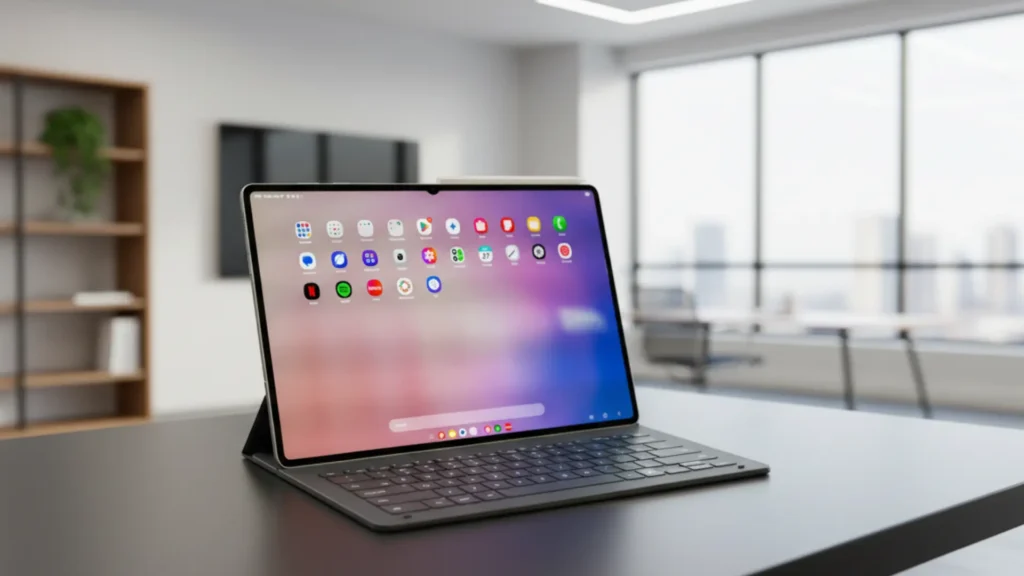
Right out of the box, GalaxyTab S11 feels premium. Samsung went all-in on minimalism: ultra-thin bezels, a sleek aluminum unibody, and a matte finish that resists fingerprints better than most glass-backed devices. It’s noticeably lighter than its predecessor, Tab S10, and even lighter than iPad Pro in some configurations.
At just under 1 pound, it’s easy to hold for long reading or drawing sessions without wrist fatigue. Screen dominates the front—Samsung calls it the “Infinity Display”—and it truly disappears into the content.
No ugly chin, no notch, just pure screen real estate. That said, the lack of a headphone jack might annoy some, and the USB-C port is the only physical connection, which is fine unless you rely on older accessories.
Setting it up is smooth and intuitive. If you’re coming from another Samsung device, Smart Switch makes transferring apps, files, and settings almost effortless. Even if you’re new to Android, the onboarding process walks you through everything without overwhelming you.
Samsung’s One UI has matured significantly—it’s clean, logical, and surprisingly beginner-friendly. Within minutes, you’re up and running with widgets, split-screen multitasking, and Samsung DeX ready to go.
In daily use, Tab S11 shines as a productivity powerhouse. The 12.4-inch Super AMOLED display is stunning—bright, color-accurate, and buttery smooth at 120Hz. Watching HDR videos feels cinematic, and reading PDFs or web articles is easy on the eyes thanks to reduced blue light and adaptive brightness.
For creatives, pairing it with S Pen (sold separately—more on that later) turns it into a near-perfect digital sketchpad. Palm rejection works flawlessly, latency is nearly imperceptible, and apps like Clip Studio Paint or Samsung Notes respond instantly.
Under the hood, Tab S11 runs on the latest Snapdragon 8 Gen 3 chip, paired with 12GB of RAM in most models. That means apps launch instantly, switching between three apps in split-screen is seamless, and even heavy-duty tasks like 4K video editing in LumaFusion run without stutter.
Battery life is solid—around 10 to 12 hours of mixed use, including video streaming, note-taking, and light gaming. It won’t last two full workdays, but it easily gets you through a long flight or a full school day.
Now, about those key features. Samsung’s multitasking tools are among the best in the Android world. You can drag and drop files between apps, pin frequently used apps to the taskbar, and even run a full desktop-like interface with DeX mode when connected to a monitor.
The front-facing speakers are loud and clear—great for video calls or watching YouTube—but they’re not quite as rich as iPad’s quad-speaker setup. The cameras? Functional, but not impressive. The 13MP rear camera is fine for scanning documents, and the 8MP front cam works for Zoom, but don’t expect smartphone-level photo quality.
Compatibility is where Tab S11 really flexes its ecosystem muscle. It integrates beautifully with other Samsung devices—Galaxy phones, Watches, Buds. You can take calls, reply to texts, or share files wirelessly with a tap. It also supports Microsoft apps natively, and Google Workspace runs flawlessly.
However, if you’re deep in Apple’s ecosystem—using an iPhone and Mac—the experience won’t be as seamless. Some Android-exclusive features like Quick Share or Samsung Notes syncing won’t work as smoothly, and you’ll miss out on the full DeX potential without a Windows or Samsung monitor setup.
So, what’s good about Tab S11?
- The display is arguably the best on any Android tablet—vibrant, responsive, and easy on the eyes.
- Performance is desktop-class, handling everything from casual browsing to pro-level creative work.
- Samsung’s software features—like DeX, multitasking, and S Pen integration—are genuinely useful, not just gimmicks.
- Build quality feels durable and premium, and the lightweight design makes it highly portable.
- Battery life is reliable for a full day of active use.
But it’s not perfect.
- S Pen is sold separately, which feels stingy for a premium tablet priced at $800+.
- No headphone jack—again, a minor annoyance, but worth noting for students or artists who rely on wired audio.
- The rear camera is mediocre, and the front camera, while adequate, doesn’t match iPad’s Center Stage feature.
- Samsung’s software, while improved, still has occasional bloat—preloaded apps you can’t fully uninstall.
- And while Android tablet apps have gotten better, some still aren’t optimized for large screens, leading to awkward layouts.
When it comes to value, Tab S11 sits at a tricky crossroads. Starting at $799 for the base model (Wi-Fi, 128GB), it’s priced right alongside iPad Air and just under iPad Pro. Compared to iPad Air, Tab S11 offers a better screen (AMOLED vs. LCD), more flexible multitasking, and deeper hardware-software integration—if you’re in Samsung’s ecosystem.
But iPad still wins on app optimization and long-term software support. Against last year’s Tab S10, S11 brings meaningful upgrades: faster chip, brighter screen, slimmer design—but if you already own an S10, the jump isn’t essential.
Who should buy GalaxyTab S11?
- Digital artists and note-takers who want a responsive, high-quality stylus experience.
- Samsung ecosystem users looking for a seamless phone-tablet workflow.
- Professionals who need a portable second screen or DeX-enabled productivity hub.
- Android loyalists tired of underpowered or poorly optimized tablets.
Who should skip it?
- Casual users who just want to browse, watch Netflix, or read—there are far cheaper tablets that do that well.
- iPhone users who expect Apple-level app polish and ecosystem synergy.
- Budget-conscious buyers—unless it’s on sale, the price is hard to justify for light use.
In the end, GalaxyTab S11 isn’t trying to be everything to everyone. It’s a focused, high-performance Android tablet built for creators, multitaskers, and Samsung fans. It nails the fundamentals—screen, speed, software—and delivers a genuinely premium experience. Yes, the missing S Pen in the box stings, and Android’s tablet app gap still lingers—but for the right user, those are minor trade-offs.